
Quick X-Ray
A guided five step flow: choose a body type, the upper, lower or full body, a front or back view, the body part and the anatomy system, then watch the scan animation run.
5 simple stepsFull Audery lets you explore a simulated x-ray view of the human body. Pick a body part, switch between six anatomy systems, compare the photo with its x-ray layer, and read the key structures and fun facts behind it. Or turn one of your own photos into an x-ray-style image with AI.


Two ways in: a guided Quick X-Ray through the body, or an AI x-ray made from your own photo. Everything you create is kept in My Scans on your phone.
A guided five step flow: choose a body type, the upper, lower or full body, a front or back view, the body part and the anatomy system, then watch the scan animation run.
5 simple stepsSkeletal, muscular, nervous, circulatory, digestive and respiratory. Switch layers on the result screen to see how bones, muscles, nerves, vessels and organs fit together.
Layer by layer32 labelled parts, from forehead and ear to heel and toes, sit on front and back reference diagrams. Tap a label to pick it, and pinch to zoom in.
32 body partsDrag the slider to reveal the x-ray layer over the photo. Scroll on for the key structures, a "did you know" fact and health tips for the system you picked.
Photo vs x-rayChoose an anatomy template, then a photo from your gallery or a new one from your camera. The app finds the body outline and maps that system onto your photo.
From your photoYour latest scans and AI x-rays are listed on the dashboard, newest first. Open one to view it again, or delete anything you no longer want.
Stored on deviceSave any result to your gallery in Pictures/Full Audery, or share it through
the Android share sheet, exactly as the viewer shows it.
If an image looks inaccurate, low quality or inappropriate, tap the flag on the result screen and tell us what is wrong. Reports help us improve results.
Flag buttonTap the bulb on the dashboard for a quick anatomy fact, like the stapes in your ear being about 3 mm long, or the 206 bones in an adult skeleton.
Learn as you goThe same full body view, shown through each of the six layers in the app. Each one is an illustrated, simulated visual, drawn for learning, not a medical image.
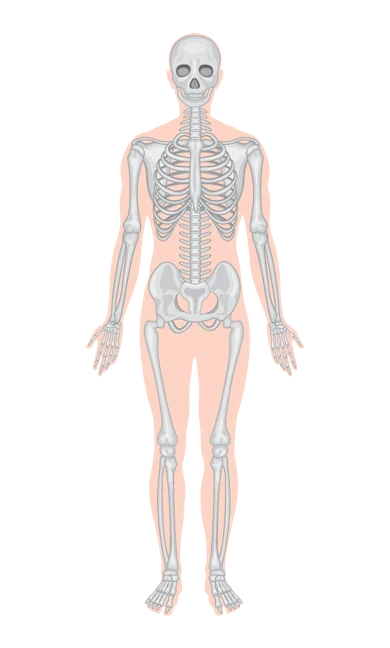
Bones and joints
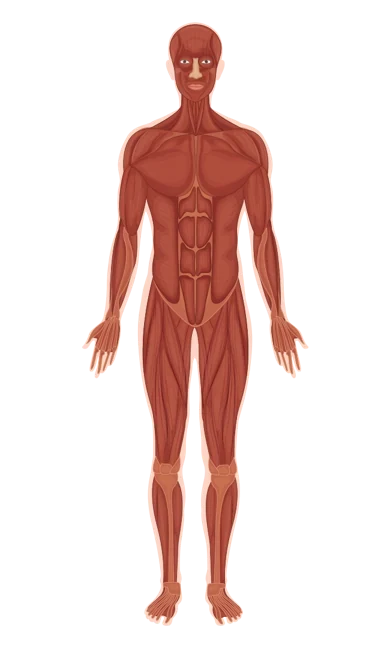
Movement and posture
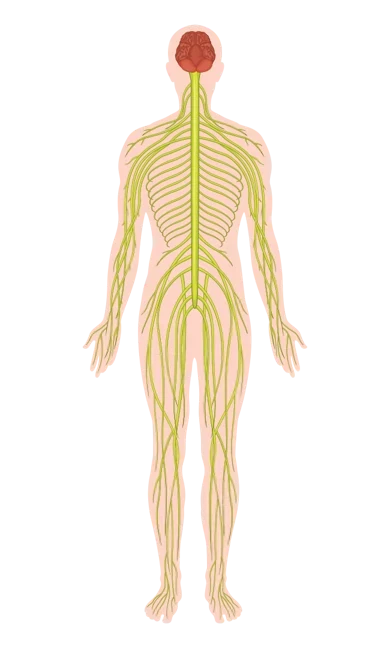
Signals and pathways
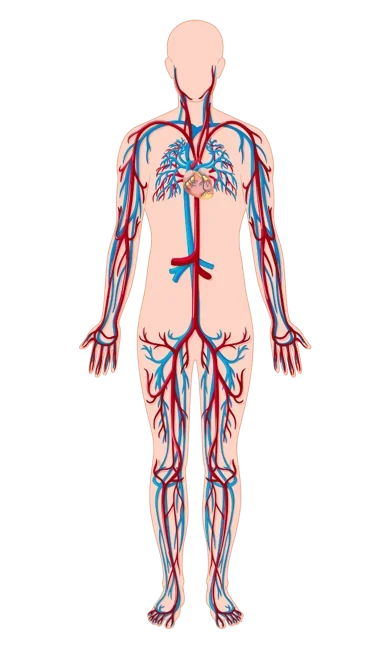
Heart and vessels
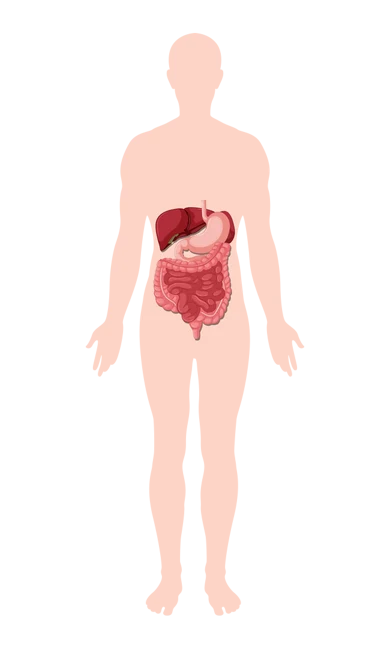
Breaking down food
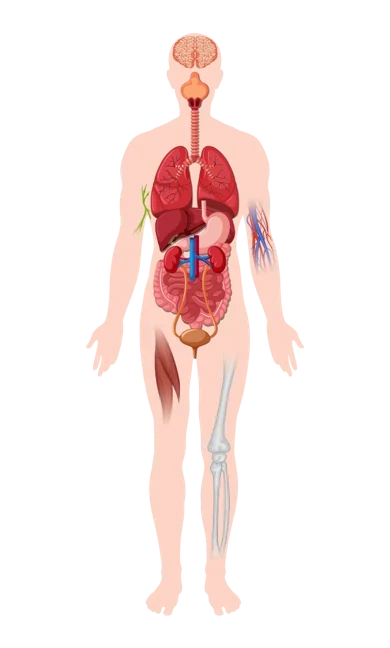
Airways and lungs
Choose Male, Female or Other, then the upper body (head to abdomen), lower body (pelvis to feet) or the full body.
Front or back, then tap a label on the reference diagram: chest, spine, knee, hand and many more.
Skeletal, muscular, nervous, circulatory, digestive or respiratory, and start the scan.
Slide between the photo and the x-ray layer, switch systems, read the key structures, then save or share it. It is kept in My Scans for later.


Drag the slider, or focus it and use the arrow keys.
Pick an anatomy style, then choose a photo from your gallery or take one with your camera, and Full Audery maps that system onto it.
Any of the six systems: skeleton, muscles, nerves, vessels, digestion or lungs.
Pick from your photos, or take a new one. A full body shot, facing the camera in good light, gives the best result.
The result opens in the same compare viewer, marked as AI generated. Results can vary each time, even for the same photo.
Full Audery Body Scanner Prank is not a real x-ray, a body scanner, a clothing-removal tool or a medical device. No camera is used during a Quick X-Ray and your body is not actually scanned: every visual is a simulated illustration chosen from your selections. AI x-rays are artistic renderings made from your photo and can be inaccurate, incomplete or anatomically incorrect — and clothing always stays visible in the result, nothing is undressed or revealed.
Nothing in the app can diagnose anything or be used for treatment or any health decision. For any medical concern, consult a qualified healthcare professional.
Full Audery Body Scanner Prank has no account and no ads. Your scan history, AI x-rays and settings live in the app's private storage. A photo only leaves your device if the cloud AI service is used to render an AI x-ray, or when you choose to share a result. Firebase Analytics and Crashlytics send back anonymous usage events and crash reports to help us fix bugs — never your photos or anything that identifies you, and switched off in test builds.
Up to 50 scans and 30 AI x-rays, kept in private app storage and removed with the app.
No email, no password and no sign in in front of the anatomy.
Internet for AI rendering, camera only to take a photo when you ask, and storage access only on Android 9 and below to save images.
Choose a photo from Android's own picker or take one in the app — nothing is captured without you starting it.
The things people ask about most: getting a good result, saving it, and managing your history.
On the dashboard tap Quick X-Ray, then follow the five steps: body type, portion, view, body part and anatomy system. Tap Start Scan and the result opens when the animation finishes.
Use a clear, well lit photo of one person facing the camera, with the whole body in frame. If the body cannot be detected, try another photo. You can always Choose another photo from the result.
On a result tap Save to gallery. Images go to
Pictures/Full Audery. On Android 9 and below, allow the storage permission when
asked, or the image cannot be saved.
Your recent work appears on the dashboard; tap See all for the full list. Open any item to view it again, or delete it. The oldest entries drop off once the list is full.
Tap the flag at the top of the result screen, choose a reason (inaccurate, low quality, offensive or something else) and add details if you like.
History is stored on your device, so save the results you want to keep to your gallery first. There is no cloud account to sign back into.
| Permission | Used for |
|---|---|
| Internet | Sending your chosen photo to the AI service to render an AI x-ray |
| Camera | Taking a photo directly in the app when you choose "Camera" for an AI x-ray |
| Storage (Android 9 and below only) | Saving results to your gallery on older phones |
That is the whole list. There is no location, contacts or notifications permission, and the camera is only used to take the one photo you ask for. See section 4 of the privacy policy for the full explanation.
No. A Quick X-Ray does not use the camera and does not scan you. The images are simulated illustrations picked from your body type, view, body part and system choices. It is made for entertainment and curiosity.
No. Full Audery is not a medical device and cannot diagnose anything. Its images are not medical images and must not be used for diagnosis, treatment or any health decision. Please consult a doctor for any health concern.
You pick an anatomy template and a photo. The app renders an x-ray style layer onto the person in the photo, either with Google's Gemini image model when that service is available, or on your device using pose detection to bend the anatomy artwork to the body. The result is an artistic rendering, not a real x-ray. The prompt sent to the model explicitly keeps the person, pose, clothing and background unchanged — clothing is never removed or altered, and the app cannot generate nudity.
AI output can be inaccurate or incomplete, and results vary each time, even for the same photo. A full body photo facing the camera in good light works best. Use the flag button to report anything misleading or inappropriate.
Quick X-Ray scans, the anatomy layers and My Scans all work offline. An internet connection is used for AI x-ray rendering with the cloud model and for opening links such as the store page.
In the app's private storage on your phone. Results you choose to save to the gallery go to
Pictures/Full Audery.
It is deleted with the app. Images you saved to your gallery stay in your gallery.
On Android 9 and below, allow the storage permission when asked. On newer Android no permission is needed; check that your phone has free storage and try again.
Questions, bug reports, feature ideas or anything about your data. Tell us your device model and Android version and we can usually reproduce the problem straight away.

Full Audery is a free Android app from UtilEdge. Install it, pick a body part, and peel back the layers.
Android 7.0 (Nougat) and above. Free. No account required.